Adobe’s Creative Cloud has always been the go-to playground for designers, but with rising pressure on the industry to embrace the new frontier, the Adobe suite has introduced new intuitive tools that enhance your workflow and encourage creativity rather than stifle it.
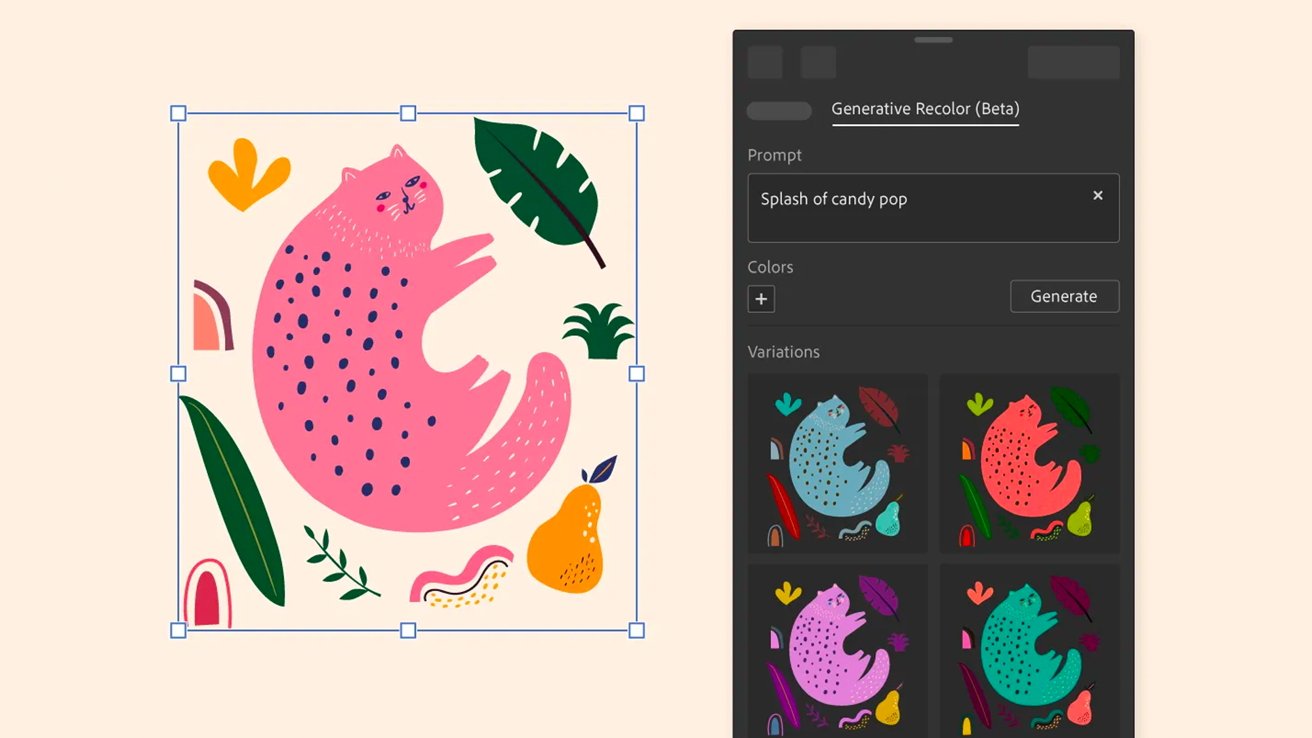
Let’s start with Adobe Illustrator, which has quietly become a powerhouse for speeding up repetitive tasks. One of the biggest recent game changers is Generative Recolor. Instead of manually testing endless palette combinations, designers can type prompts like “retro diner neon” or “earthy luxury branding,” and Illustrator instantly generates polished color directions. It feels a little like having a junior designer who never gets tired of moodboarding.
Another new addition is Text-to-Vector Graphic. Need a quick icon set or abstract shapes for a pitch deck due in an hour? Illustrator can generate editable vector artwork directly from a text prompt. The important part here is editable. Unlike flattened AI imagery, these assets remain vectors, which means designers still maintain creative control. That balance between automation and customization is where Adobe seems to be aiming lately.
Meanwhile, Adobe Photoshop continues its reign as the “I can probably fix that” application. Photoshop’s Generative Fill has become one of the most talked-about creative tools in recent years, and honestly, it earns the hype. Expanding backgrounds, removing distracting objects, extending compositions for social crops, or creating entirely new visual elements can now happen in seconds instead of hours.
For photographers and designers alike, the Remove Tool has also become shockingly intelligent. Dust spots, power lines, random strangers in the background of a perfect shot — gone. It feels less like retouching and more like politely asking reality to cooperate.

Then there’s Adobe InDesign, the dependable workhorse of editorial and layout design that’s finally getting some exciting upgrades of its own. InDesign now integrates more seamlessly with Adobe Express and Creative Cloud Libraries, making collaboration between teams much smoother. Marketing teams, social teams, and designers can all pull from shared assets without digging through twelve mystery folders named “FINAL_v2_REAL.”
One of the more underrated updates is AI-powered text wrap and layout assistance. Large editorial documents, brochures, and reports can now adapt more fluidly when content changes. Anyone who has spent hours nudging paragraphs because one headline grew by two words knows exactly why this matters.
Adobe is shifting toward reducing friction. The software isn’t trying to replace designers; it’s trying to eliminate the boring parts so creatives can focus on actual ideas. And honestly? That’s probably the best kind of upgrade.
The future of design tools seems less about learning completely new software and more about learning how to direct smarter creative systems. Adobe’s newest features don’t remove the need for taste, strategy, or creative thinking; they just help designers get to the fun part faster. learning curve, you’ll always find one worth telling.